AI Photo Editing Strategy
Natural AI Photo Editing Is the 2026 Advantage: How to Avoid the AI Slop Look
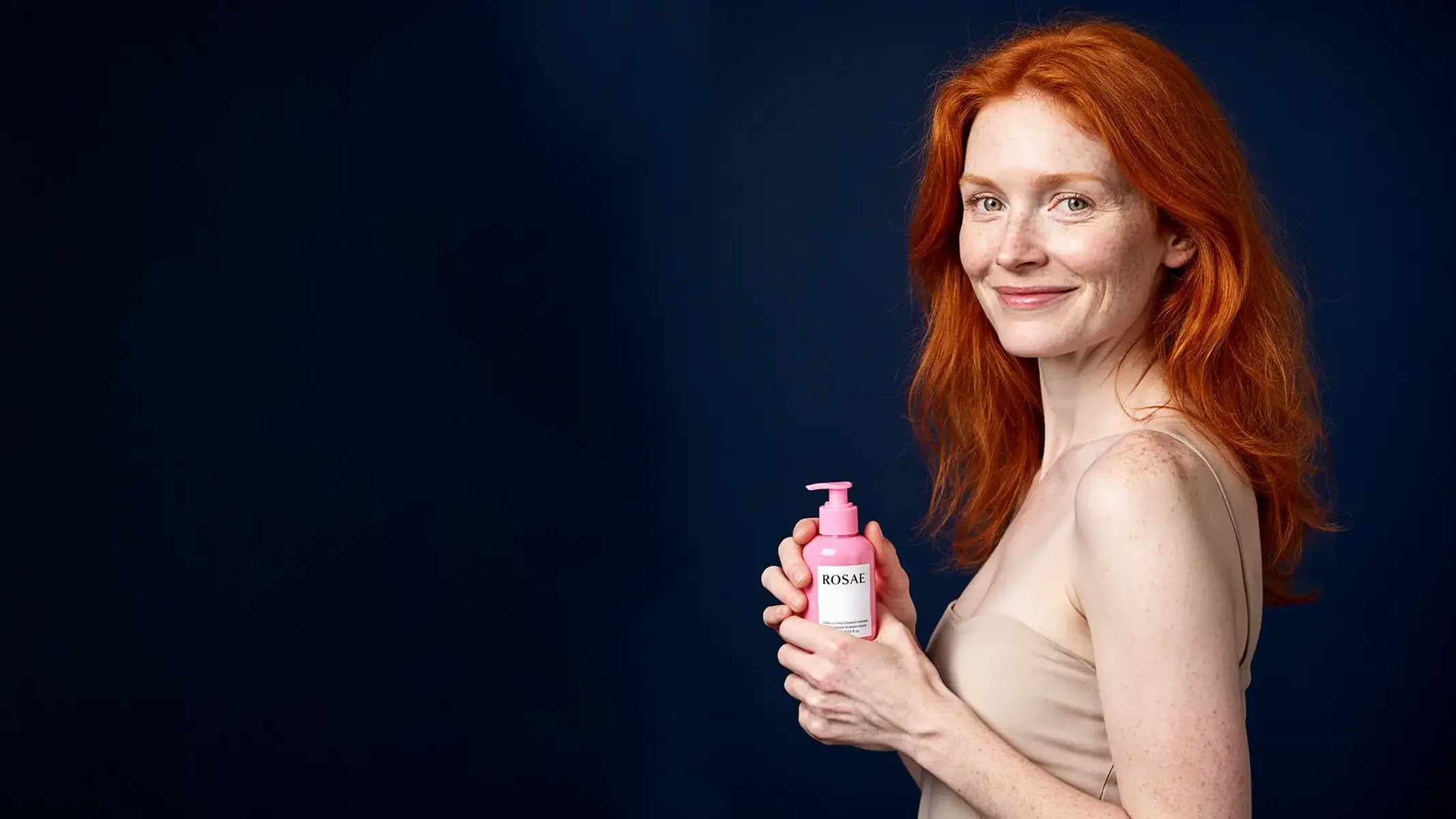
AI image editing has crossed into the mainstream. Apple is adding more generative photo tools to everyday Photos workflows, Google is expanding AI watermarking, and the creative industry is openly debating "AI slop" - the over-polished, strangely smooth, low-trust look that people now recognize almost instantly. For businesses, the question has changed. It is no longer "can AI make an image?" The question is: can AI make an image that still feels natural enough to earn trust?
That is where RogerApp.ai is strongest. Its commercial value is not just speed. It is the ability to edit with restraint: protect what must stay real, change only what needs changing, preserve believable skin texture, shadows, product details, lighting direction, and the small imperfections that make a picture feel photographed instead of fabricated.
Why This Matters Right Now
The 2026 conversation around AI visuals is moving in two directions at once. On one side, AI editing is becoming normal. Major consumer platforms are bringing tools like object removal, image expansion, perspective changes, and natural-language editing into everyday apps. On the other side, audiences are becoming more skeptical of synthetic-looking media.
That tension creates a practical rule for marketers, e-commerce sellers, real estate agents, freelancers, and small businesses: AI visuals work best when they reduce production friction without making the result feel fake. If the edit draws attention to itself, it can weaken trust. If the edit makes the photo clearer, cleaner, more useful, and still believable, it becomes a growth tool.
| 2026 reality | What it means for brands |
|---|---|
| AI editing is mainstream | Customers will see more AI-assisted visuals everywhere, so average quality expectations rise. |
| AI slop backlash is real | Over-smoothed, generic, uncanny visuals can make a brand feel careless or dishonest. |
| Authenticity matters | People want to know that a product, person, space, or service is represented honestly. |
| Transparency is becoming standard | Labels, provenance, and clear use of AI are increasingly part of professional visual workflows. |
What the "AI Slop Look" Actually Is
The AI slop look is not simply "an image made with AI". It is a set of visual mistakes that tell the viewer the image was produced quickly without enough human judgment.
- Skin that looks plastic: no pores, no natural texture, no lived-in detail.
- Perfect but meaningless lighting: glossy highlights that do not match the scene or product surface.
- Wrong physical contact: hands that float, objects without weight, products that do not cast believable shadows.
- Generic lifestyle scenes: the same luxury apartment, the same "happy customer", the same polished studio background used everywhere.
- Product drift: logos, labels, colors, stitching, proportions, or materials quietly changing during the edit.
- Too much transformation: replacing the whole image when only one correction was needed.
These are not just aesthetic problems. They are commercial problems. A buyer may not be able to explain exactly what is wrong, but they can feel when a product photo has stopped behaving like evidence.
The Natural Editing Standard
A natural AI edit has one job: make the image more useful while preserving the viewer's confidence that the product, person, or space is represented honestly. The edit should support the sale, not become the story.
For product imagery, that means the label stays readable, the color stays accurate, and the object keeps physical weight. For fashion, it means fabric texture, fit, folds, skin, hair, and body proportions remain believable. For real estate and venues, it means the room geometry, window direction, floor reflections, and shadows still match the original photo.
The RogerApp.ai Workflow for Natural Results
RogerApp.ai is built for professional editing workflows where control matters. Instead of treating every request as a full image generation task, use it like a precise creative production tool.
1. Start from a real source image whenever accuracy matters
If the buyer needs to trust a real product, a real room, or a real person, begin with a real photo. Use AI to improve the image, not replace the truth of it. This is especially important for e-commerce, real estate, hospitality, event venues, and any business where the image sets expectations before purchase.
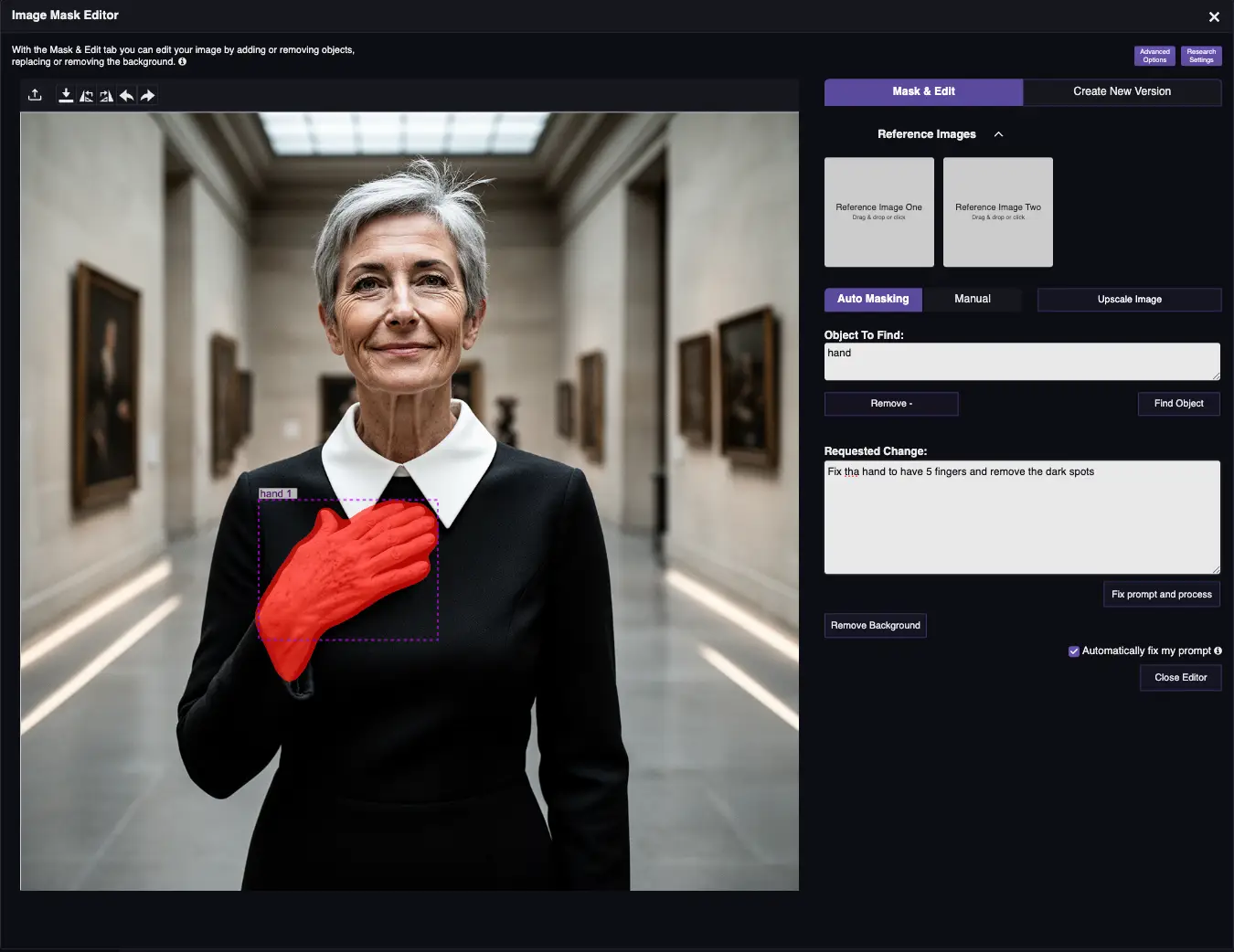
2. Mask only the area that should change
The more precisely you select the edit area, the less the AI has to reinterpret. Use masking for object removal, hand correction, product cleanup, background replacement, furniture staging, fabric fixes, or localized lighting improvements. This keeps the image grounded.
3. Use reverse masking to protect what must not change
When a product logo, model face, package label, property layout, or branded detail must remain intact, protect it explicitly. In prompts, write what should stay unchanged: "keep the bottle label exactly the same", "keep the face and hair unchanged", "keep the room geometry and window positions unchanged".
4. Match the existing light and shadows
Natural images obey physics. Ask for shadows that match the original light source, reflections that follow the surface, and color temperature that fits the scene. A soft shadow under a product often matters more than another dramatic background.
5. Add imperfections intentionally
Real photographs have micro-texture. Skin has pores. Fabric has wrinkles. Surfaces have dust, grain, reflections, and tiny asymmetries. For natural commercial visuals, ask RogerApp.ai to preserve or add subtle realism instead of removing every sign of life.
Prompt Examples That Produce More Natural Results
Good prompts describe both the change and the constraints. These examples work because they tell the AI what to improve and what to preserve.
| Use case | Prompt direction |
|---|---|
| Product photo cleanup | "Remove dust and small scratches from the product surface. Keep the label, logo, shape, color, and material exactly unchanged. Add a soft natural shadow under the product." |
| Fashion model image | "Keep the model's face, skin texture, body proportions, and hair unchanged. Improve the garment fit slightly and preserve the fabric weave, stitching, folds, and natural shadows." |
| Real estate staging | "Add warm Scandinavian furniture to this room. Keep the walls, windows, floor, ceiling height, camera angle, and room layout exactly the same. Match shadows to the window light." |
| Social ad refresh | "Create a cleaner campaign version of this image with better contrast and a calm premium background. Keep the person and product realistic, with natural skin texture and no airbrushed effect." |
Where Natural AI Editing Helps Businesses
The strongest use cases are not the loudest ones. They are the ones where AI removes friction without breaking trust.
- E-commerce: turn inconsistent supplier photos into a clean catalog while preserving product truth.
- Fashion and beauty: create campaign visuals with realistic skin, fabric, fit, and product texture.
- Real estate: clean, stage, or relight rooms while preserving the actual property layout.
- Hospitality and venues: show realistic seasonal setups, event uses, or booking scenarios inside real spaces.
- Freelancers and agencies: deliver more variants without losing the human judgment clients pay for.
Transparency That Builds Customer Trust
Transparent AI use does not have to weaken a campaign. In many contexts, it can strengthen trust. The practical rule is simple: do not use AI-edited images to misrepresent a product, room, person, or past work. Use AI to show clearer versions, concept versions, campaign variants, and cleaned-up visuals - and label concepts when the image is not a documentary photograph.
For example, a real estate staging image should be described as virtual staging. A wedding venue concept should be labeled as a visualization. A product image should preserve the product's actual form, color, label, and material. The goal is not to hide AI. The goal is to use AI professionally enough that the image still respects the buyer.
The 2026 Advantage: Natural Beats Novel
The first wave of AI visuals rewarded novelty. The next wave rewards restraint. Brands that win with AI imagery in 2026 will not be the ones generating the most images. They will be the ones producing the most trustworthy images, faster.
RogerApp.ai is designed for that shift: precise edits, prompt control, masking, reverse masking, background replacement, image merging, upscaling, and model selection that supports the actual task. The result is not "AI-looking content". The result is practical visual production that looks natural enough to do its job.
Need natural-looking AI edits for your business?
RogerApp.ai helps you create polished product, real estate, fashion, and campaign visuals without losing the realism buyers trust.
Start editing with RogerApp.aiSources and Further Reading
- Apple Newsroom: Apple Intelligence photo editing updates
- Google DeepMind: SynthID watermarking for AI-generated and AI-edited content
- C2PA: Content Credentials and digital content provenance
- Klaviyo: Consumer Trust in AI 2026
- Getty Images: Building Trust in the Age of AI
- The Guardian: Anti-slop creative backlash, June 2026