
Real Estate Use Case
AI Virtual Staging for Real Estate Agents: What It Costs, How It Works, and How to Get Listing-Ready Photos in Minutes
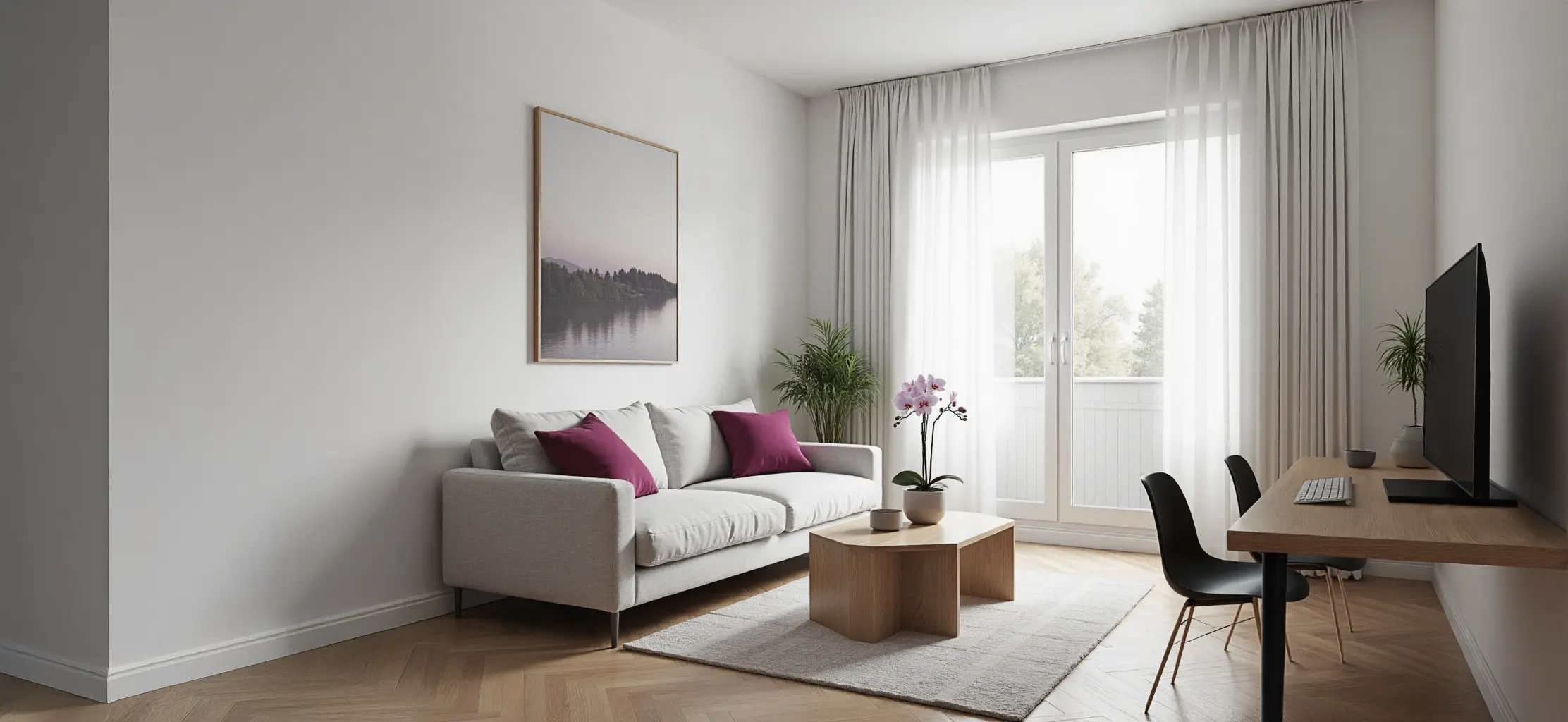
AI virtual staging places photorealistic furniture and décor into photos of empty or unfurnished rooms — and the results are indistinguishable from real photography when done right. Unlike dedicated virtual staging software or traditional real estate photo editing services, RogerApp.ai is a complete AI real estate photo editing tool that combines staging with real estate image enhancement, lighting correction, object removal, and resolution upscaling in one workflow — no separate subscriptions needed.
Virtually staged homes sell 5–11 days faster on average and achieve a 98.7% vs 94.2% sale-to-list price ratio compared to unstaged listings. The cost per image with an AI tool is under €2 — versus €15–50 for traditional virtual staging services.
This guide covers what AI virtual staging delivers, what it costs compared to alternatives, how to do it in RogerApp.ai, what the law requires, and answers to the most common questions from real estate agents.
Key Takeaways
| Point | Details |
|---|---|
| Speed and cost | AI virtual staging produces listing-ready photos in minutes at under €2 per image — versus €15–50 and 24–72 hours for traditional services. |
| Sales impact | Virtually staged homes sell 5–11 days faster with a 98.7% vs 94.2% sale-to-list price ratio. Staging delivers 312% average ROI based on 2,800 transactions. |
| Precision control | Masking tools let you protect floors, windows, and architectural details while changing only the furnishings — results indistinguishable from real photography. |
| Legal requirement | Label virtually staged images clearly in the caption or listing description. Required under NAR Code of Ethics and EU consumer protection regulations. |
What AI virtual staging actually does
AI virtual staging generates and composites photorealistic furniture, lighting, and décor into your room photo. The walls, floors, windows, and all architectural details from the original photo stay intact. Only the furnishings and styling are generated.
This is different from traditional virtual staging in a few important ways:
Traditional virtual staging — a specialist models furniture in 3D software, renders it, and composites it into your photo. Turnaround is typically 24–72 hours. Cost is €15–50 per image. Output is precise and controllable — you can specify exact furniture brands or dimensions.
AI virtual staging — you upload the photo, describe what you want, and process. Turnaround is minutes. Cost under €2 per image with a subscription tool. Less control over specific furniture pieces, but for listing photography, the style and emotional feel matter more than the exact sofa brand.
What you can stage — and what works best
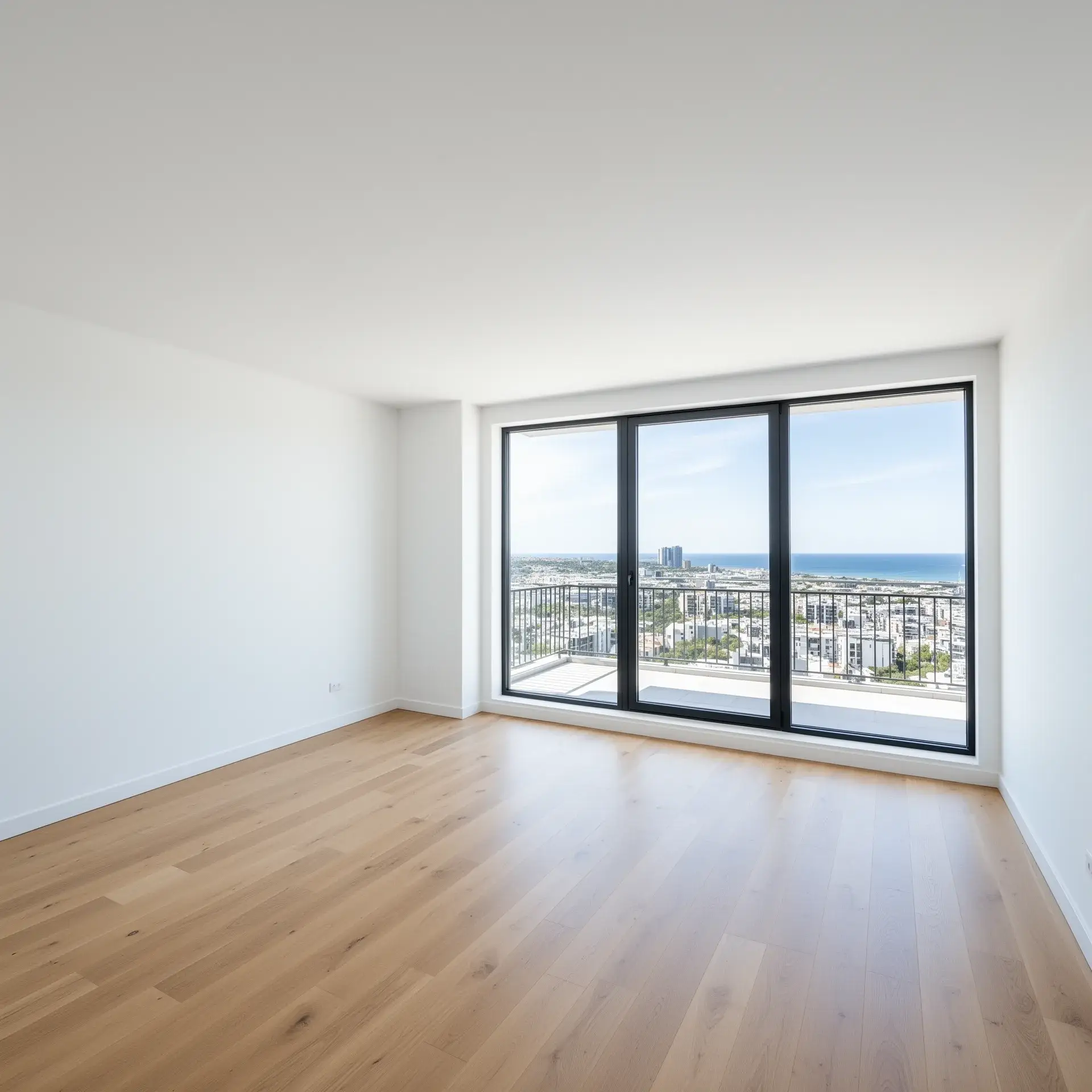
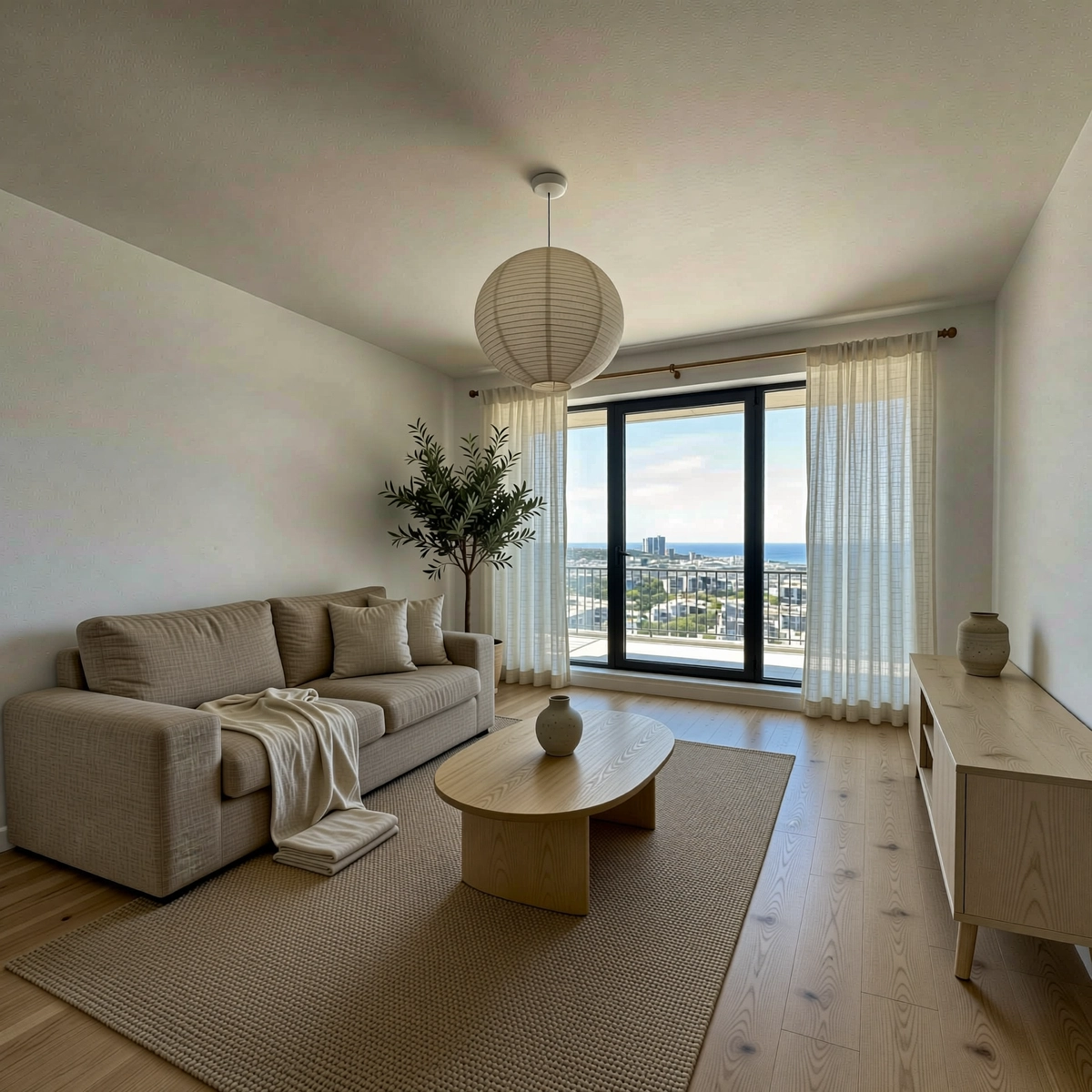
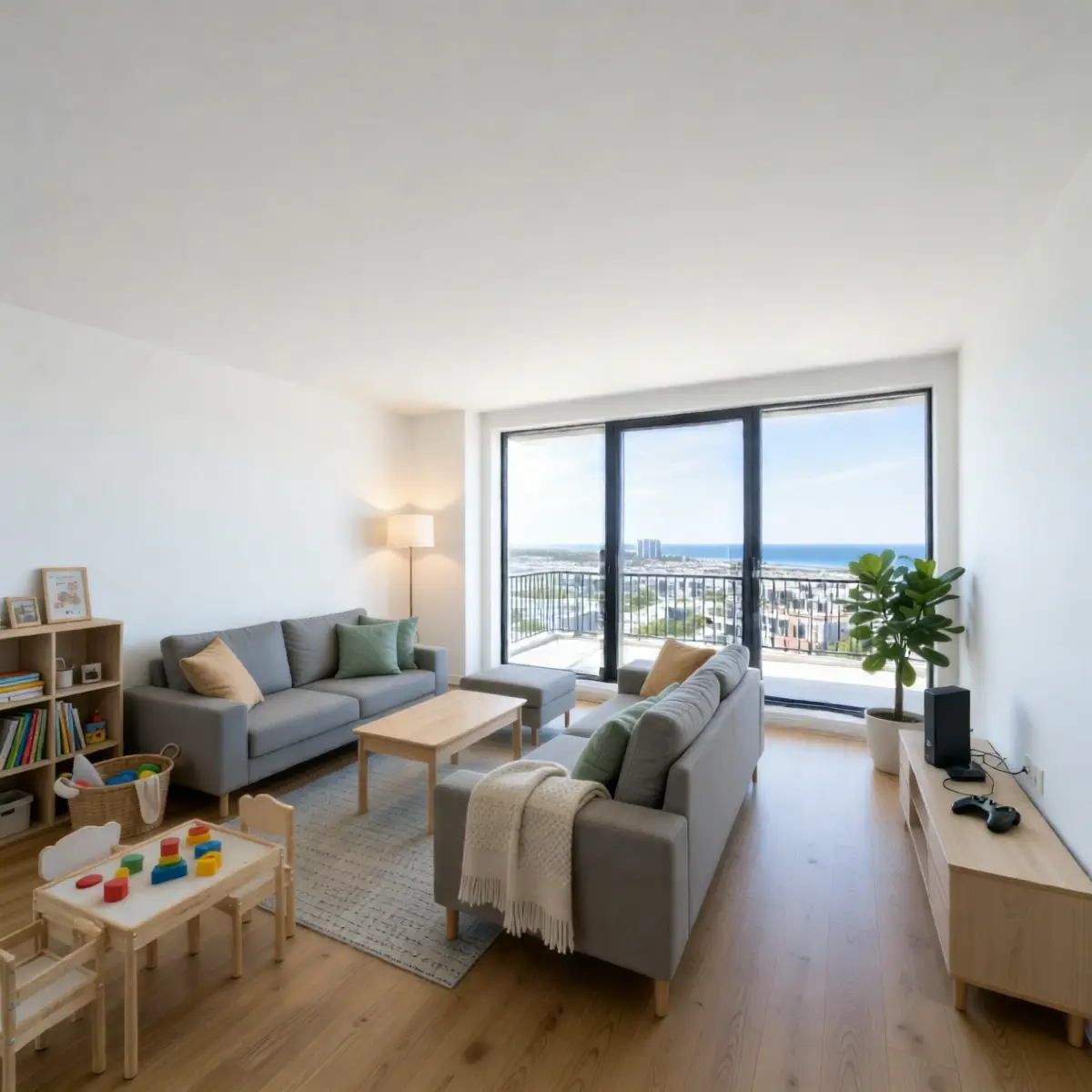
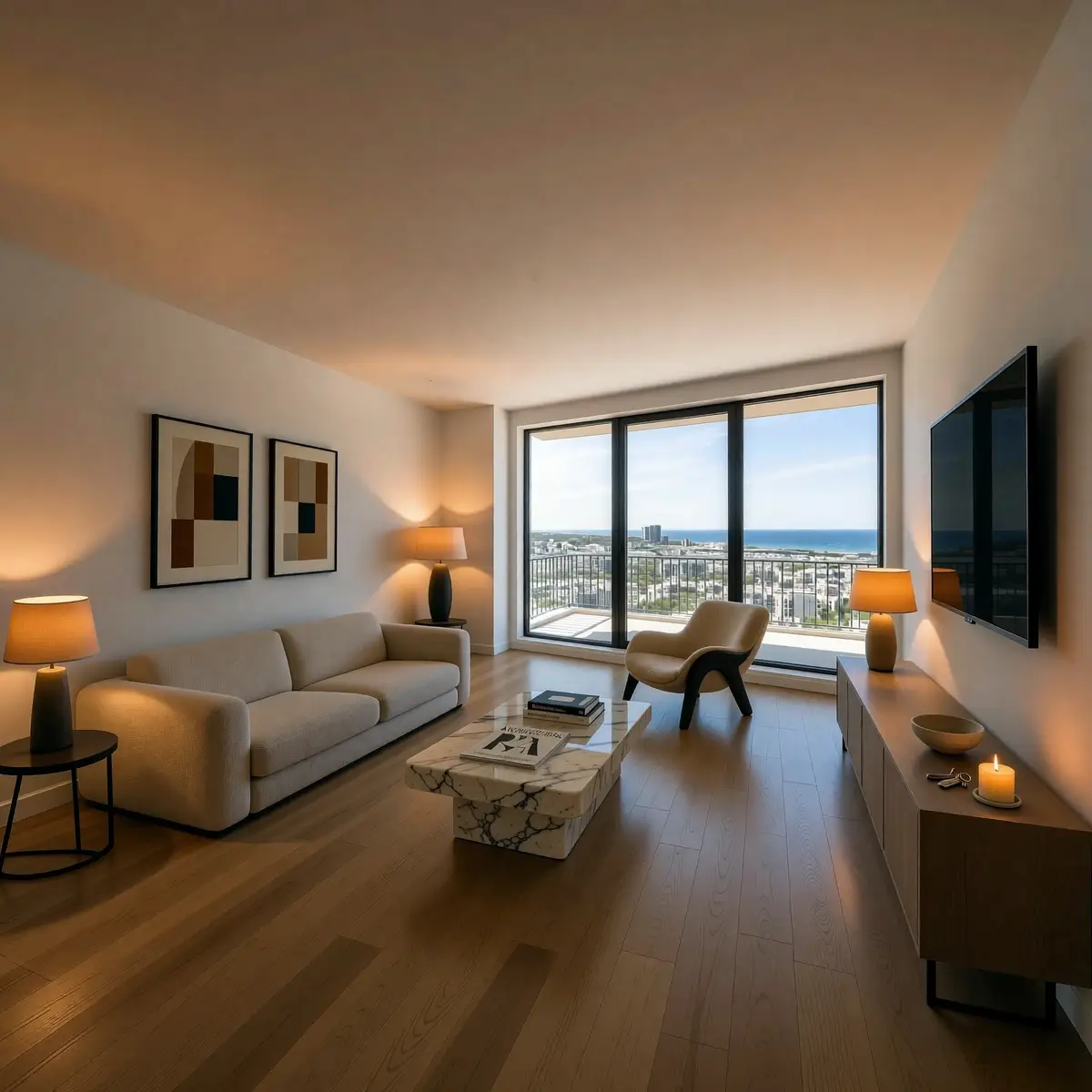
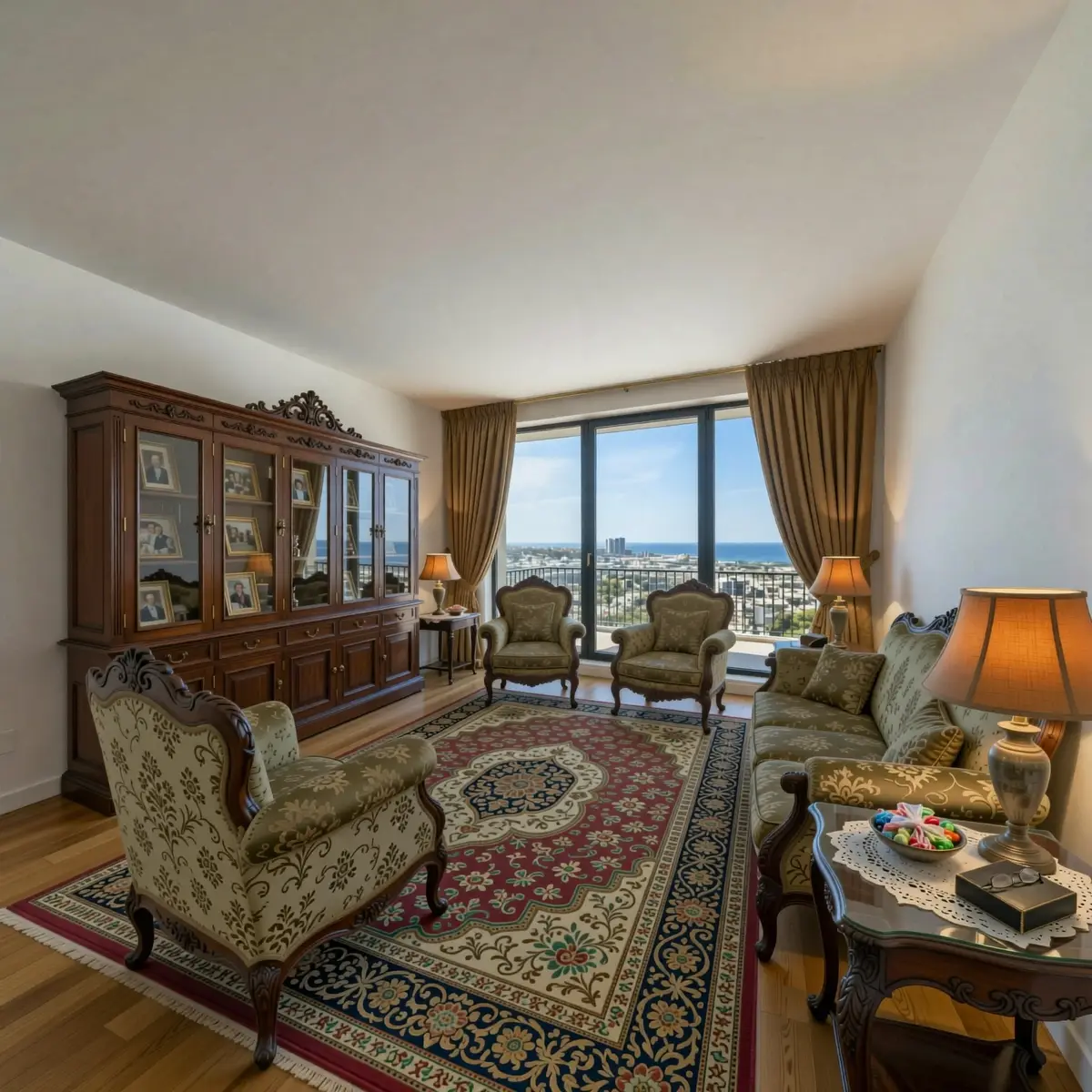
Works well
- Empty living rooms and master bedrooms — highest buyer impact on decision-making. These are the rooms buyers visualize themselves in first.
- Rooms with dated or mismatched furniture — stage over what's there or replace it visually. No need to move a single piece physically.
-
The same room in multiple styles — one empty room, three different buyer profiles:
- Young professional couple — minimal furniture, warm tones, open feel, home office corner
- Family with children — comfortable sofa, storage, warm lighting, lived-in but tidy
- Premium buyer — statement pieces, dark accents, art, hotel-quality finish
- Home offices — one of the highest-value staging targets since remote work became permanent. A spare bedroom staged as a functional home office adds perceived value that buyers actively search for.
- Poorly lit rooms — dark evening photos, harsh shadows, flat overcast light — these can all be corrected with AI relighting before or alongside staging. Shadows are regenerated to match the new lighting direction, so the result looks like the room was shot in ideal conditions.
Fix first, then stage
Low resolution or heavily overexposed source photos benefit from AI upscaling or exposure correction before staging. Running Super Resolution first gives the AI more detail to work with and produces a cleaner staging result.
Where staging adds less value
Rooms where structural problems are the actual selling obstacle — awkward layout, very low ceilings, no natural light source. Staging shows furniture and atmosphere, not architecture. In those cases, the conversation with the buyer needs to happen before the photo does.
What it costs
| Option | Cost per image | Turnaround | Control level |
|---|---|---|---|
| Physical staging | €500–2,800 per room | 1–3 days + setup | Full — real furniture |
| Traditional virtual staging service | €15–50 per image | 24–72 hours | High — specialist-controlled |
| Staging-only AI tool | €1–3 per image | Minutes | Medium — style selection |
| RogerApp.ai | ~€0.49 per edit | Minutes | High — masking + prompt |
Unlike single-purpose virtual staging programs or standalone real estate photo editing software, RogerApp.ai covers the full workflow in one tool. Real estate photo editors who currently use separate apps for background removal, lighting, and staging can replace all of them with a single subscription.
The ROI case: properties staged with AI achieve 312% average ROI on the staging investment, based on data from 2,800 transactions across 15 markets. A listing that sells in 23 days instead of 47 days — the average difference between staged and unstaged properties in the same dataset — justifies the staging cost many times over.
Is it legal to use in listings?
Yes, with clear disclosure — and in many markets, disclosure is a legal requirement.
The standard practice is to label virtually staged images clearly. "Virtually staged" in the image caption or listing description is the norm. In the US, NAR's Code of Ethics (Articles 2 and 12) requires agents to present a true picture in advertising. In the EU, consumer protection regulations impose similar transparency requirements.
The logic is simple: virtual staging shows potential, not current reality. A buyer who arrives at a viewing expecting a furnished room and finds an empty one will feel misled. Clear labelling prevents that — and signals professionalism.
Frequently asked questions
What is AI virtual staging?
AI virtual staging places photorealistic furniture and décor into photos of empty or unfurnished rooms using AI image editing. You upload a room photo, describe the style you want, and the AI generates and composites the furnishings — matched to the room's existing lighting and perspective — in minutes.
How realistic does AI virtual staging look in 2026?
When the source photo has decent quality and the prompt is specific, the output is photorealistic — indistinguishable from a real interior photography shoot. The key factors are lighting match (the generated furniture casts shadows that match the room's light source) and floor reflection. Generic staging tools often miss these — the result looks pasted in rather than photographed. RogerApp.ai's multi-model system selects the best AI model per edit specifically to maintain this realism.
How is AI staging different from traditional virtual staging services?
Traditional virtual staging uses 3D modelling, takes 24–72 hours, and costs €15–50 per image. AI staging works from a text prompt and photo, takes minutes, and costs under €2 per image. The tradeoff is less precise control over specific furniture pieces — but for most listing photography, style and mood matter more than the exact furniture brand.
Can I stage the same room in multiple styles?
Yes — and this is one of the strongest use cases. Upload the same empty room photo, run separate prompts for different styles (minimal, family, premium), and you have multiple listing photos targeting different buyer profiles. Cost is the same as a single traditional staging image.
What rooms benefit most from virtual staging?
Living rooms and master bedrooms have the highest impact on buyer decision-making. Empty kitchens and bathrooms sell on fixtures and finishes — staging adds less value there. Home offices have become a high-priority staging target since remote work normalization.
How many listing photos does a property need?
Research from Zillow identifies 22–27 photos as the optimal count. Fewer than 9 photos produces a 20% lower likelihood of selling within 60 days. Staging quality matters most for the first 3–5 photos — these are what determine whether a buyer clicks through to the full listing.
Is it legal to use AI-staged photos in MLS listings?
Yes in most markets, with disclosure. Label staged images clearly — "Virtually staged" in the caption or listing description. NAR's Code of Ethics requires accurate representation. Check local MLS rules as requirements vary by region.
What is the best software for real estate photo editing?
The best real estate photo editing software depends on your workflow. Dedicated staging tools (Collov AI, Virtual Staging AI) handle furnishing well but require separate apps for lighting, object removal, and resolution. RogerApp.ai combines AI real estate photo editing — staging, lighting correction, object removal, upscaling, and image enhancement — in one tool at a lower per-image cost than most staging-only services.
Can I keep existing furniture and just add to it?
Use Manual Masking to paint over the furniture you want to keep, then describe what you want to add in the prompt. The AI only changes what's outside your masked area — useful when a room is partially furnished but needs styling additions or a full background change.
How to do it in RogerApp.ai
RogerApp.ai has two approaches to virtual staging, depending on how much precision you need.
Text prompt — fastest method, works for most empty rooms
- Upload your room photo to the Photo Editor
- In the Requested Change field, describe the style: "Stage this empty living room in a warm Scandinavian style — light oak furniture, grey linen sofa, low coffee table, indoor plants, soft natural lighting from the window"
- Process and review — regenerate to explore style variations
The more specific your prompt, the better the result. Describe the furniture mood, fabric, colour palette, and lighting direction rather than just a style name.
Reverse Mask — when the room has existing elements to protect
If the room has good flooring, built-in shelving, or anything you want to keep exactly as it is, Reverse Mask gives you precision control:
- Upload your photo
- Use Auto-Masking — type "floor" or "windows" in the Object to find field
- Toggle Reverse Mask — everything outside your protected selection is now open for change
- Describe the staging in the prompt
This is the key difference from staging-only tools: the masking precision means you control exactly what changes and what stays — down to specific surfaces and architectural features.
Multi-style staging — show three buyer profiles from one room
The same empty room staged in three styles gives your listing three distinct visual narratives:
- Scandinavian minimal — light tones, low furniture, clean lines — targets first-time buyers and younger demographics
- Warm family — richer colours, layered textiles, bookshelves — targets families and upsizers
- Premium neutral — dark accents, statement pieces, gallery art — targets high-end buyers
Each version is a separate edit. Cost is the same as one traditionally staged image.
Learn more in the RogerApp.ai tutorial
These tutorial sections walk through the exact techniques used in this workflow:
-
How to write effective prompts for photo editing →
The prompt formula that works across all editing tasks — including the positive-form principle that makes staging prompts significantly more accurate. -
Manual Masking — paint exactly what you want to change →
When you want to protect existing elements — flooring, windows, built-in features — and only change specific areas of the room. -
Auto-Masking — let AI find what to edit →
Type the object name — "floor", "windows", "sofa" — and the AI finds and masks it automatically. The starting point for Reverse Mask workflows. -
Reverse Mask — protect your selection, change everything else →
The fastest workflow for full-room staging while keeping architectural details intact. -
Fix and upgrade lighting →
Correct dark, flat, or poorly lit room photos before staging — shadows and exposure corrected to match your desired result. -
Super Resolution — upscale before you stage →
Increase image quality to 2400×2400 pixels before staging. Gives the AI more detail to work with and produces a cleaner result.